 EasyTidy Pro
Downloads
Put every download where it belongs
Route installers, archives, documents, and images by type or name instead of cleaning up every weekend.
For anyone handling a busy Downloads folder
✨ v2.0 New Architecture — Available Now
EasyTidy Pro is a local file organizer for Windows. Preview first, then move, rename, convert, and archive files automatically by name, type, date, size, content, or metadata. Start simple and expand into multi-step workflows when needed.
Chainable Rule Engine
Start with a real problem
Solve one busy folder with a template first, then add conditions and actions as needed. You do not need to learn a complex rule system on day one.
Downloads
Route installers, archives, documents, and images by type or name instead of cleaning up every weekend.
For anyone handling a busy Downloads folder
Photos & assets
Build predictable folders from dates, extensions, names, or EXIF data, then rename files consistently before archiving.
For photographers, designers, and creators
Office files
Watch for new files, then filter, rename, convert, compress, or upload them. Run complex steps in sequence or in parallel.
For finance, operations, and project archives
Core Capabilities
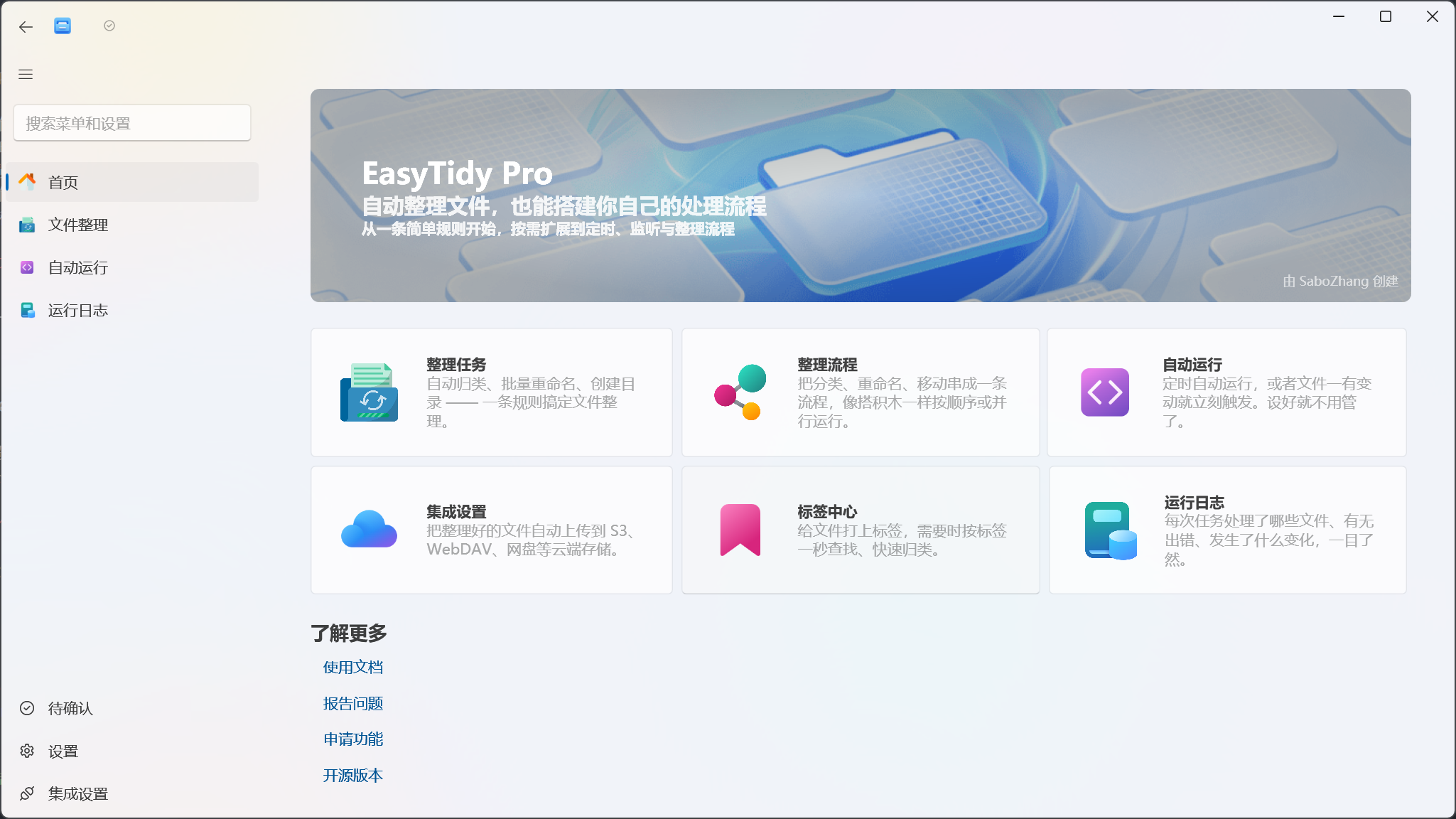
Run steps in sequence or in parallel as the task requires. Work continues in the background, with logs that make complex runs traceable.
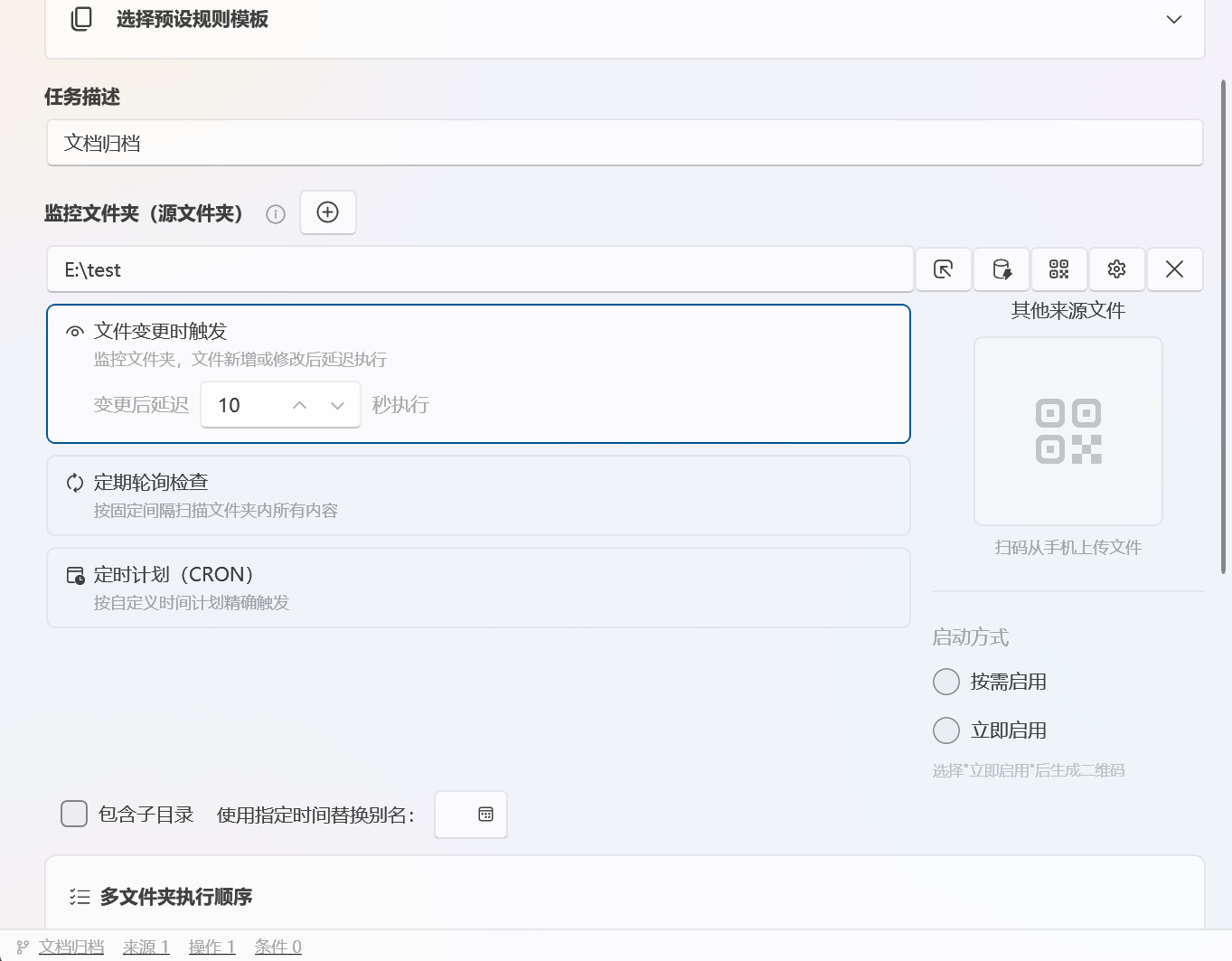
Desktop, WeChat downloads, browser folder — monitor them all simultaneously. New files trigger your rules the instant they appear. No more dragging files around by hand.
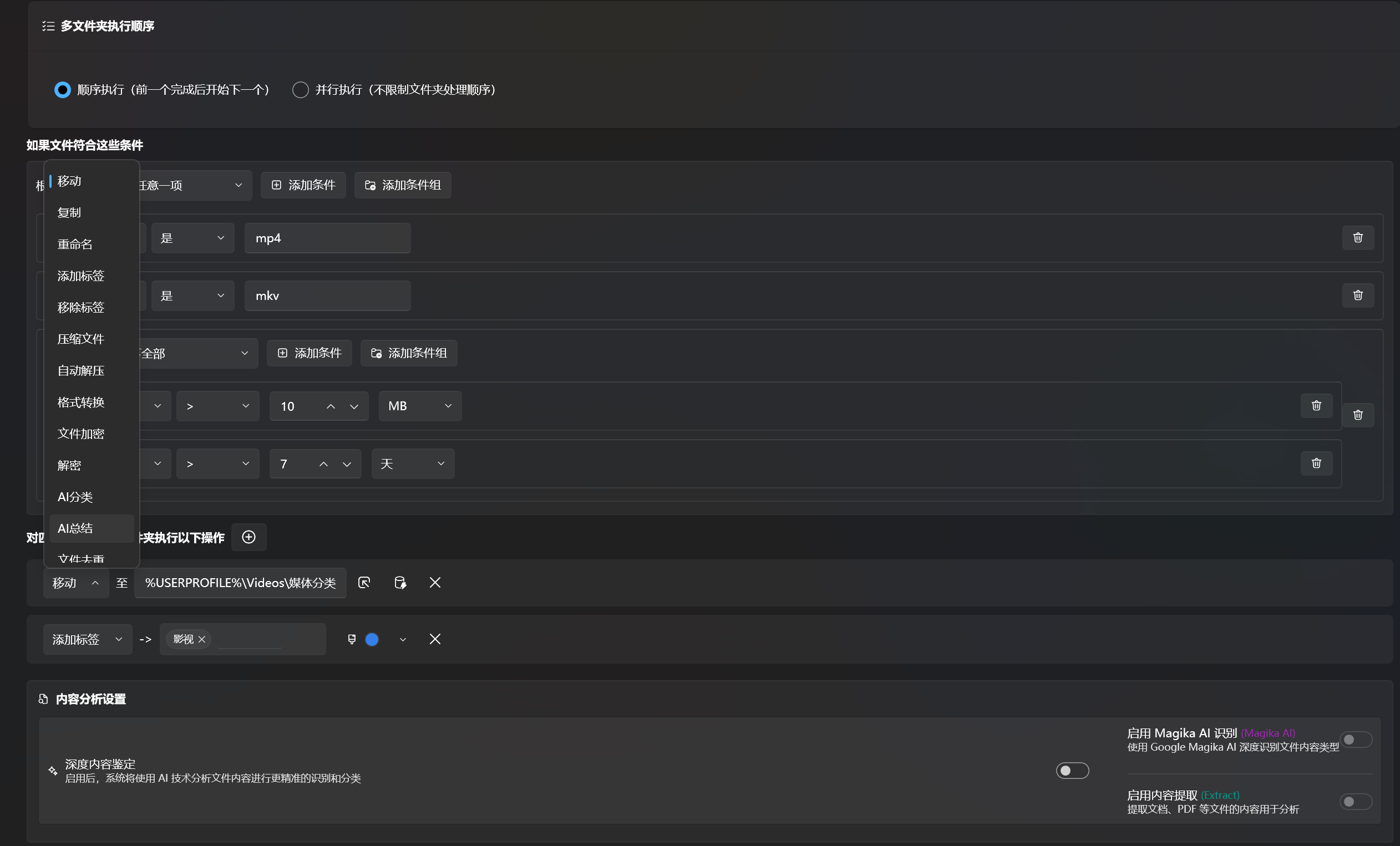
Move, rename, compress, extract, convert formats, encrypt, upload to cloud — every operation slots into a rule pipeline and runs automatically, around the clock.
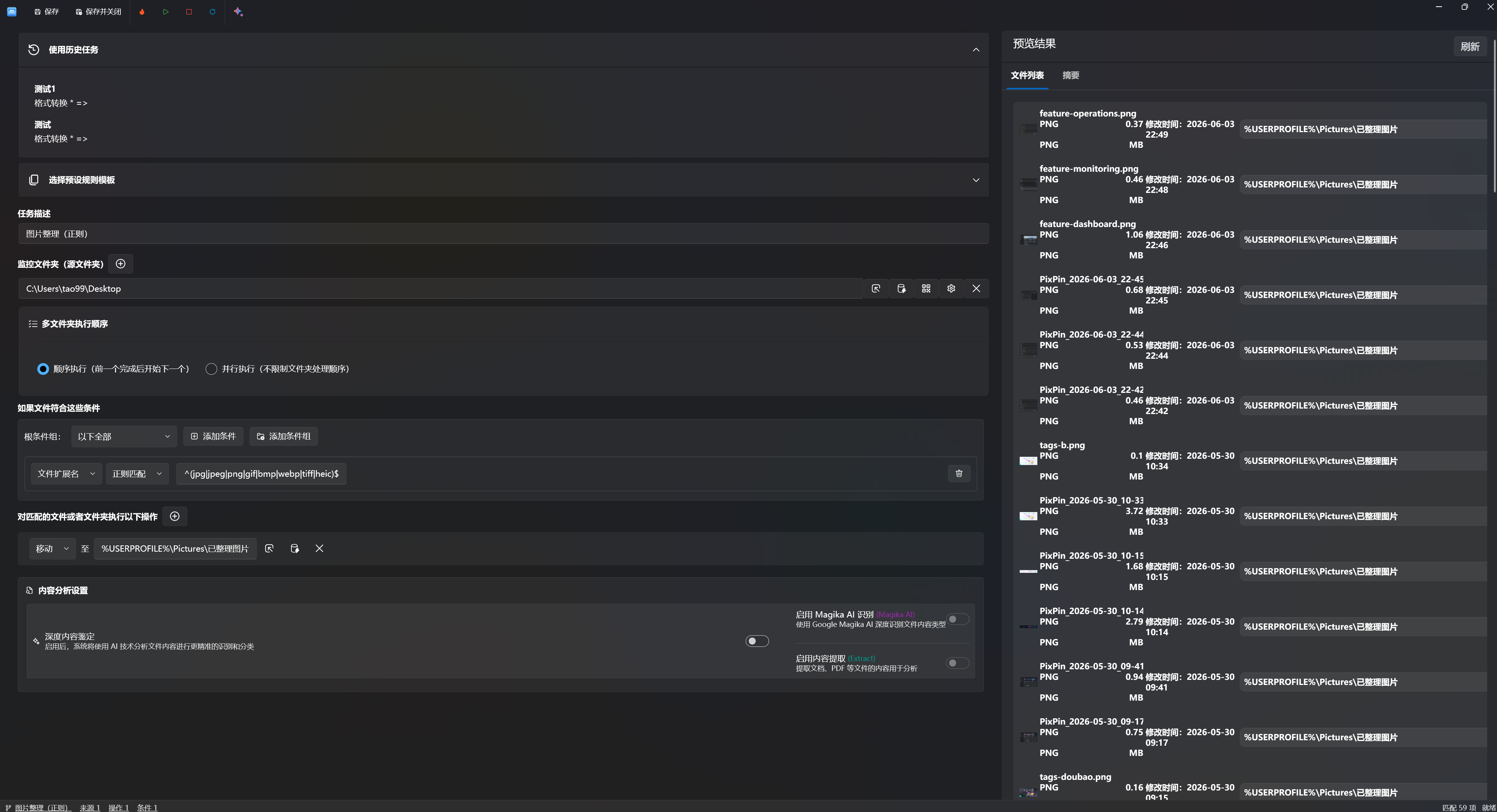
Worried a rule might delete the wrong files? Run a sandbox test first. The right panel shows every file that would be affected. Confirm, then execute with confidence.
Ready to Start?
Free for one device, permanently. No account required — just download and run.
How It Works
You don't need to learn a scripting language or write configuration files. Just pick folders, set your rules, and let EasyTidy run in the background. Here's how simple it is.
Select any number of folders — Desktop, Downloads, WeChat files, browser download directory. EasyTidy monitors them all simultaneously. A new file lands? Your rule fires instantly.
Stack conditions (by name, size, date, extension) with AND/OR logic, then chain actions (move, rename, compress, upload to cloud). Dependent steps run in strict order; independent tasks auto-parallelize for speed.
Before going live, run a sandbox simulation to see exactly which files will be affected and how. No surprises, no accidental deletions. Once confirmed, EasyTidy runs silently in the background — even while you game, code, or browse.
End-to-End Pipeline Example
Here's what a real workflow looks like: Watch Downloads folder → AI classifies by content type → Convert HEIC to JPG → Upload to S3. Every node in the chain is swappable. The entire pipeline runs hands-free, end to end, 24/7.
Automation vs. Orchestration
Simple tasks? Use Automation — three steps and you're done. Complex workflows? Reach for the Orchestration layer for full precision control. Both run locally, no account needed.
Automation
Built for everyday cleanup: follow the wizard, pick an action, link a folder. Active immediately — no rule syntax to learn.
Orchestration
Built for complex workflows: multi-folder triggers, hybrid serial/parallel scheduling, nested filters, sandbox preview — full precision control.
Recommended Path
Our recommendation: use Automation to handle your daily cleanup quickly, then bring trickier workflows into the Rule Engine for deep customization. Both tools run entirely on your machine — no account, no cloud dependency, your files stay under your control.
Tag Center
On NTFS files, tags can be stored in alternate data streams and indexed in a local database. EasyTidy keeps tags in sync during in-app moves and copies; retention still depends on the destination file system and tool used.
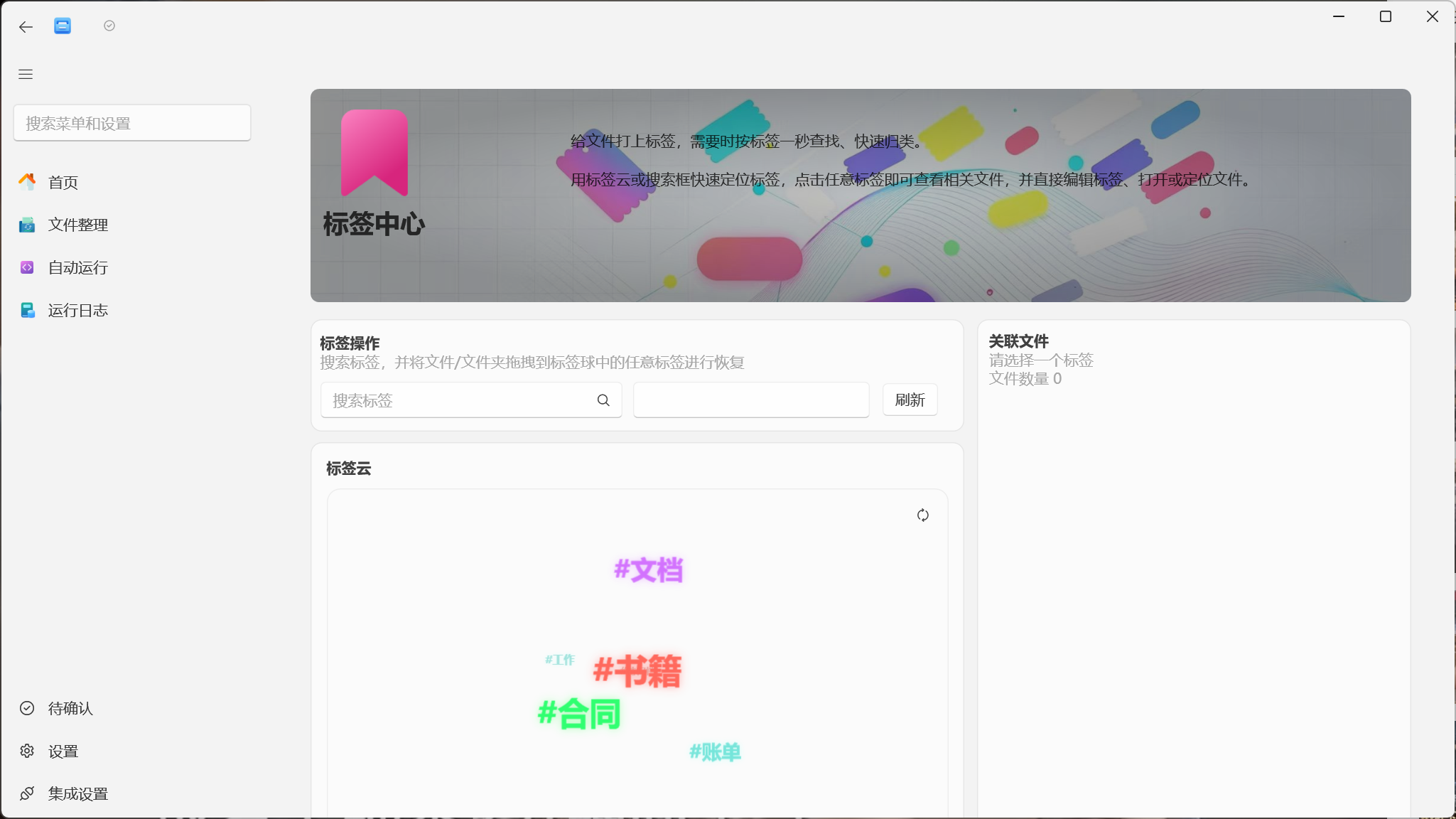
Tags float in an interactive 3D word cloud — the more you use a tag, the more prominent it becomes. Rotate freely to browse from any angle.
Idle spin → hover detect → drag capture → focus lock. Each state transitions naturally into the next, never breaking your flow.
Select any tag and the right panel slides out with all linked files. One click from discovery to action.
EasyTidy combines NTFS ADS with a local database and syncs tags during in-app file operations. Non-NTFS destinations and third-party tools may not preserve ADS.
NTFS ADS Physical Guardrail
On supported NTFS files, tags can be stored in alternate data streams and indexed locally. Backups, non-NTFS destinations, and tools that do not preserve ADS should be tested before relying on tag retention.
Everything Search Integration
Use EasyTidy's Everything integration to locate files quickly, then narrow results with in-app tags, size, date, and path conditions. A compatible Everything installation must be running.
Tag Sync & Portability
Sync your tag library across devices through S3, WebDAV, or any supported cloud storage — no manual export needed. Tag a file on your desktop, and the same tag appears on your laptop automatically. Switching to a new PC? Just connect the same cloud endpoint and all your classifications restore instantly. Your organizational logic stays consistent across every machine, hands-free.
Pricing
Free for one device, permanently. Yearly activates on 2 devices, Lifetime on 3 devices.
Free for one device, Yearly on 2 devices, Lifetime on 3 devices
Early Adopter PriceFree
For light use and basic file tidying
1 device · Free forever
Devices
1
Forever
Setup cost
Zero
No activation
What's included
No sign-up · download & run
Pro · Yearly
For long-term use and automation-reliant users
Per year · ~$1.08/mo
Per day
$0.04
Less than a coffee
Cancel anytime
No lock-in
Renew as needed
What you unlock
Early-bird renewal price locked in for life, as long as your subscription stays active*
🔒 Secure payment
Using long-term? ~2+ years of Yearly ≈ Lifetime. Upgrading pays off.
Pro · Lifetime
Pay once, use forever
One-time · activate forever
Per month
$0.29
Over 10 years
vs Yearly
Save 80%+
No renewals
All Pro features included
Everything in Yearly, plus:
Lifetime price locked in forever, with free upgrades to local features*
🔒 Secure payment
💡 Which plan is right for you?
Free
Light tidying / trying it out
Yearly
Ongoing use, subscription preferred
Lifetime
Long-term use, one-time payment
Buy now to lock in:
Perpetual License, Price-Protected
Buy once, use forever. Your rights are unaffected by any future price changes.
Early Access to New Features
Get priority access to beta releases. Your feedback directly shapes product development.
Exclusive User Badge
Stand out in the community with a special badge and direct access to developers.
Note: Pricing will gradually increase after the official launch as features mature and the ecosystem expands.
Pricing Strategy
Our licensing is designed as a natural progression: start with Free to build a working cleanup routine. Once you see how much time EasyTidy saves, upgrade to Pro for the features that matter to you.
Trust & Transparency
Core matching and local file operations run on your PC. EasyTidy only connects to the network when you choose an online AI, OCR, cloud storage, update, or activation feature. Preview first, then run — and undo supported local operations when needed.